🎬
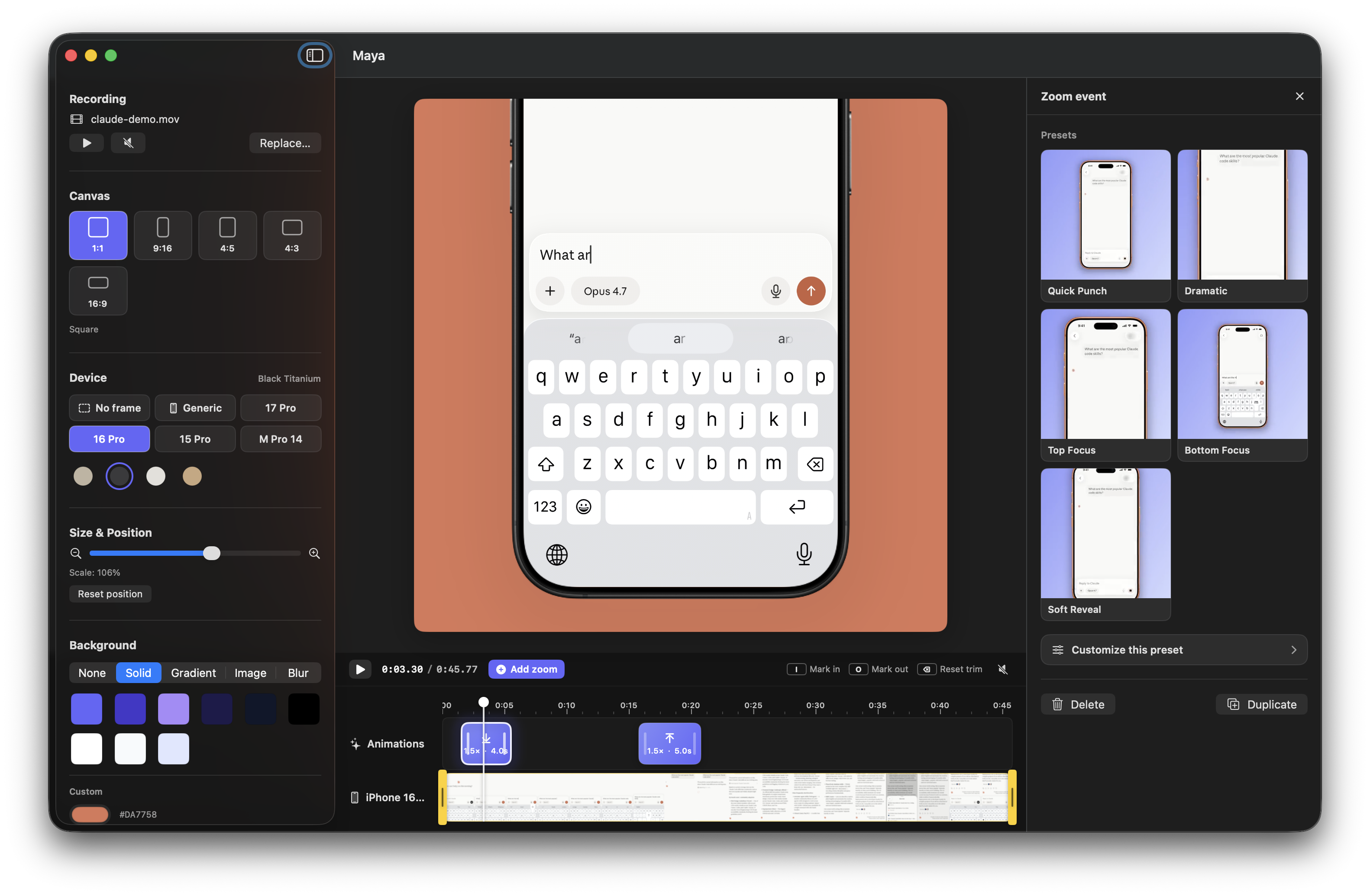
Device framing
iPhone 17, 16 & 15 Pro frames with titanium color variants, iPad Pro 11″ in landscape, MacBook Pro 14, a configurable generic frame, and a no-frame mode.
🎨
Backgrounds
Solid colors, eight curated gradients, your own image, a Keynote-style video blur, or a true transparent export.
⏱️
Timeline, speed, zoom & taps
Trim and scrub footage, add zoom and tap events on dedicated tracks, then drag to move or resize. Zooms preview smoothly and snap when released.
⏩
Partial speed control
Mark any part of the recording and play it from 0.25× to 4×, with presets for slow motion and fast forward. Audio and video stay in sync on export.
👆
Visible tap feedback
Place Ripple, Pulse, or Ring feedback directly on the device screen, then customize its timing, color, and size.
🌀
Curves & visual presets
Choose from six animation curves or start with Quick Punch, Dramatic, Top Focus, Bottom Focus, or Soft Reveal and customize from there.
📤
Smart export
1080p H.264 MP4 for social platforms, or HEVC MOV with a real alpha channel. Speed changes, zooms and tap animations are baked into either format.